Ragdoll Destruction Playground Updates & Patch Notes
Track what Harpax Dev ships next in the physics sandbox.
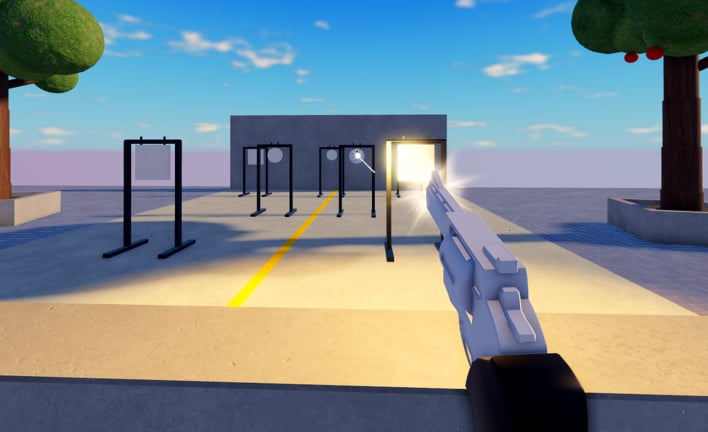
The Updates Hub follows Ragdoll Destruction Playground as it grows out of early development. The experience opened on Roblox in early November 2026 and already iterates on weapons, slow motion presentation, props, NPC behaviours, fire, and oversized explosions. Use this hub to decide which guides to re-read after a drop and whether the weapons tier list still matches your hands.
Latest featured patch
- Minigun and Chainsaw Update — headline minigun and chainsaw toys, slow motion emphasis, explosives and fire spectacle, and meta notes
Early-access reading
- Early Access Roadmap — how to interpret description edits, what “multiplayer planned” means, retest checklists after patches, and visit-growth context without fake ship dates
Early-access snapshot
| Topic | Current understanding |
|---|---|
| Release state | Early development / early-access style |
| Mode | Single-player (maxPlayers 1); multiplayer planned |
| Creator | Harpax Dev |
| Visits (Nov 2026 samples) | Roughly 1.5M+ with strong favorites; concurrency is mostly parallel solo instances |
| Fantasy pillars | Intelligent ragdolls, world destruction, reset map, weapons, props, unlockables, NPCs, fire, slow motion |
| VIP / codes | VIP creation disabled; no verified promo codes yet |
Population spikes after launch proved the fantasy resonates, but concurrent counts on a solo place mostly mean parallel instances—not shared lobbies. Context for community growth lives on the Players Hub and Player Feedback.
What to watch next
Harpax Dev has publicly signaled multiplayer is planned. Until that lands, every patch is still balanced around solo laboratories. Expect quality-of-life, unlockables, and more destruction toys before social features. When multiplayer ships, this hub will get a dedicated article covering server size, etiquette, and performance. Until then, read soft promises with the habits on the Early Access Roadmap page.
Also watch for the first promo code experiments. None are verified today—see the Codes Hub—but milestone thank-you strings often appear in the Roblox description beside big weapon drops. High visit counts alone have not produced confirmed gifts yet.
How to verify an update yourself
- Open the official Roblox description via the Links Hub or Official Channels.
- Note new bullet points (weapons, systems, calls for feedback).
- Launch, reset the map, and test one new toy with slow motion or a destruction combo.
- Recheck Codes and How to Redeem if a string appears.
- Recheck Game Passes and VIP if Store language appears.
- Revisit the weapons tier list if the meta feel changed.
- Optional: run the Sandbox Checklist so new toys get equal time.
Patch reading tips for sandbox games
Sandbox notes are often short. Translate marketing bullets into tests:
- “More props” — build a new ramp or corridor line (Weapons and Explosives)
- “NPC behaviours” — run a mild-to-escalating stimulus test after a clean reset (Unlockables and NPCs)
- “Insane explosions” — re-learn blast spacing before stacking charges
- “Slow motion / time slow down” — practice enter timing, not permanent dilation
- “Minigun + chainsaw” — compare open-area spray versus close finishes on identical seeds
If controls feel off after a client update, re-verify verbs on the Controls page before filing feedback.
Update index
| Update page | Focus |
|---|---|
| Minigun and Chainsaw Update | Minigun, chainsaw, slow motion, explosives/fire emphasis |
| Early Access Roadmap | Description-diff habits, multiplayer expectations, retest loops, visit context |
Scripts and third-party tools after patches
Assume executor utilities break on day one of a place or Roblox client change. If you still experiment, reread the Scripts Hub and Admin Command Menu warnings. Native toys should be your first test pass; injectors are optional risk.
Related hubs
- Guides Hub and Getting Started
- Tier List Hub
- Players Hub — where to send feedback the studio might actually see
- Codes Hub
- Tools Hub
- Links Hub
Start with the Minigun and Chainsaw Update article for the current meta snapshot, keep the Early Access Roadmap open for process, then rebuild one clean stage before judging the patch.
Frequently Asked Questions
Quick answers to the most common questions.
How often does the game update?
Early development means bursts of changes. Check the Roblox page and this hub after major weapon headlines.
Is multiplayer live?
Not yet—it is planned. Servers are still single-player sized. See the Early Access Roadmap for how to read that promise.
Where are detailed notes for the new guns?
See the Minigun and Chainsaw Update child page.
Do updates add promo codes?
Sometimes in other Roblox games; for this place none are verified yet despite high visit counts. Recheck the Codes Hub after description edits.
What should I re-read after a patch?
Map Reset, Slow Motion, Weapons and Explosives, Destruction Combos, Unlockables and NPCs, and the Weapons Tier List—then skim Scripts if you use executors.