Ragdoll Destruction Playground How to Redeem Codes
Be ready the moment Harpax Dev drops the first verified promo code.
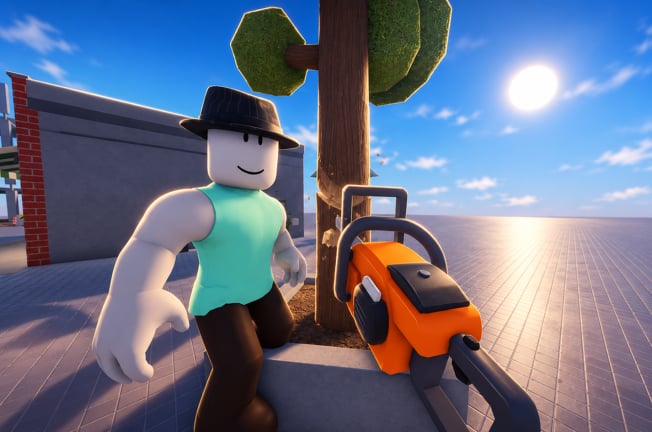
Ragdoll Destruction Playground does not currently list verified promo codes, but redeem flows on Roblox follow familiar patterns. This guide walks you through what to do when a code appears so you are not scrambling during a short-lived drop. Pair it with the live status table on the Codes Hub.
Before you start
- Confirm the code string on an official channel: the Roblox place description for Ragdoll Destruction Playground, a Harpax Dev group shout, or an in-game banner after a patch.
- Ignore third-party “code generator�?sites and random Discord DMs.
- Make sure you are logged into the Roblox account you want to receive the reward on.
- Launch the correct experience: Ragdoll Destruction Playground by Harpax Dev—not a similarly named playground.
If the Codes Hub still says no active codes, there is nothing legitimate to type yet. Bookmark both pages and watch the Updates Hub after content patches such as the Minigun and Chainsaw Update.
Typical redeem steps (when a code UI exists)
Exact button labels can change as the game develops. Use this checklist as a template and adapt to whatever Harpax Dev ships:
- Join the experience and wait until the sandbox fully loads (props, weapons tray, and HUD visible).
- Open the main menu / settings / shop / gifts panel—whichever tab the patch notes mention for codes.
- Find a field labeled Code, Promo, Redeem, or Gift.
- Enter the code exactly as published (watch for capital letters, hyphens, and zero vs O).
- Confirm with Redeem / Submit and wait for a success toast or inventory popup.
- Check unlocks: new props, weapons, or cosmetics may appear in your tool list or unlock menu rather than as a chat message.
If the game uses a Roblox-native gift prompt instead of a custom UI, follow the on-screen Roblox dialog and still verify the reward inside the sandbox afterward.
Codes that fail �?common causes
| Symptom | Likely cause | What to try |
|---|---|---|
| Invalid / not found | Typo, wrong game, or fake list | Retype carefully; confirm the string on the official description |
| Already redeemed | One-time code per account | Check inventory; you cannot claim twice |
| Expired | Time-limited drop | Note the expiry on the Codes Hub; wait for the next event |
| Level / group locked | Requirement not met | Join the Harpax Dev group or finish an unlock gate if required |
| No code button | Feature not shipped yet | There are still no verified codes—see the Codes Hub |
Single-player note
The place currently runs with maxPlayers 1 (solo sandbox). Redeeming a code only affects your account and session. When multiplayer arrives, codes will still almost always be per-account, not shared with other clients in the server. Track multiplayer plans on the Players Hub.
What to do after a successful redeem
- Open your weapons / props / unlocks list and confirm the new item.
- Test the reward in a short destruction session—then use reset map if you want a clean stage (see Getting Started).
- If the gift is a tool (for example a future exclusive prop), compare it against the Weapons Tier List to see how it fits the meta.
- Revisit the Codes Hub and mark the code mentally as used so you do not waste time retrying it.
Scams to avoid
Promo codes never require:
- Your Roblox password
- A “verifier�?browser extension that asks for login
- Paying Robux to a stranger to “activate�?a free code
- Running a random
loadstringsolely to claim gifts
Script executors and admin menus are a separate topic covered on the Scripts Hub and Admin Command Menu pages. Do not confuse those tools with code redemption. If someone says you must inject a script to unlock a promo gift, treat it as a red flag.
How this wiki will announce codes
When a string is verified:
- It appears in the active table on the Codes Hub with reward text and any known expiry.
- This redeem guide stays focused on steps and troubleshooting.
- Patch context may be linked from the Updates Hub if the code celebrates a content drop.
We will not pad empty tables with guesses copied from other ragdoll games. That keeps search results honest for players who land here looking for Ragdoll Destruction Playground specifically.
Practice run without a code
Even with zero codes live, you can rehearse the rest of the loop:
- Learn controls and reset-map habits in Getting Started.
- Experiment with slow motion, explosives, and the new minigun / chainsaw toys from the latest update notes.
- Use the Sandbox Checklist so each session covers props, NPC behaviours, and fire safely.
- Follow Links back to the official place and creator group so you see description edits the same day they ship.
Related reading
- Codes Hub �?live verified / empty status
- Updates Hub �?where celebration codes often debut
- Guides Hub �?full tutorial index
- Players Hub �?feedback channels for Harpax Dev
Stay patient, verify every string, and redeem only through official UI. When the first real code lands, you will already know exactly what to tap.
Frequently Asked Questions
Quick answers to the most common questions.
Where is the redeem button in Ragdoll Destruction Playground?
A dedicated code UI has not been confirmed while no codes are live. When Harpax Dev adds codes, check menus labeled Code, Promo, Gift, or Shop, and confirm steps against the official description.
Do codes work offline or in Studio?
Redeem inside the live Roblox experience on your account. Studio playtests and unrelated places will not grant official promo rewards.
Can I redeem the same code twice?
Almost all Roblox promo codes are one redeem per account. A second attempt usually returns Already Redeemed.
A website offered me free codes if I log in. Is that safe?
No. Never enter your Roblox password on a third-party code site. Use only official channels and in-game redeem UI.
What should I do if my code is invalid?
Check spelling, confirm you are in the correct Harpax Dev place, and verify the string is still listed as active on the Codes Hub and official description.